
Flipkart Seller Hub: Dashboard, Payments & Growth Tools (2026)
Quick answer
The Flipkart Seller Hub is the dashboard at seller.flipkart.com where sellers run the whole business: listing products, processing orders, tracking payments, reading Selection Insights, running ads and learning through the Learning Center. Registration takes under 10 minutes with a GSTIN, address, bank details and one product, and the Seller Hub app on Android and iOS manages the account around the clock.

Every Flipkart order, payment and listing runs through one place: the Flipkart Seller Hub. New sellers often use it only to print labels, then discover months later that the same dashboard tracks payments, shows what buyers want next, and even teaches selling skills. This guide walks through the Seller Hub section by section, based on Flipkart's own seller website.
The Seller Hub in One Minute
The Seller Hub is the seller dashboard at seller.flipkart.com, and the same account runs in the Seller Hub mobile app. Flipkart's headline numbers for the platform: a 14 lakh+ seller community, 45 crore+ customers across 19000+ pincodes, and payment 7 days from the date of dispatch. Inside the hub, the daily work splits into five jobs:
- List: add and manage your products.
- Sell: process incoming orders and shipments.
- Track: follow payments and deductions per order.
- Decide: use Selection Insights to choose what to sell next.
- Grow: ads, shopping festivals, fulfilment and training.
Getting In: Registration
The Seller Hub opens after registration on seller.flipkart.com. Flipkart says creating the account takes under 10 minutes with a valid GSTIN, an address, bank details and at least one product to list. The same credentials sign you into the hub on the web and in the app, so keep them with your business documents, not in a chat thread. Our Flipkart seller registration guide walks the form step by step, and the Flipkart seller login guide covers the sign-in page and its common problems.
The Personalised Homepage
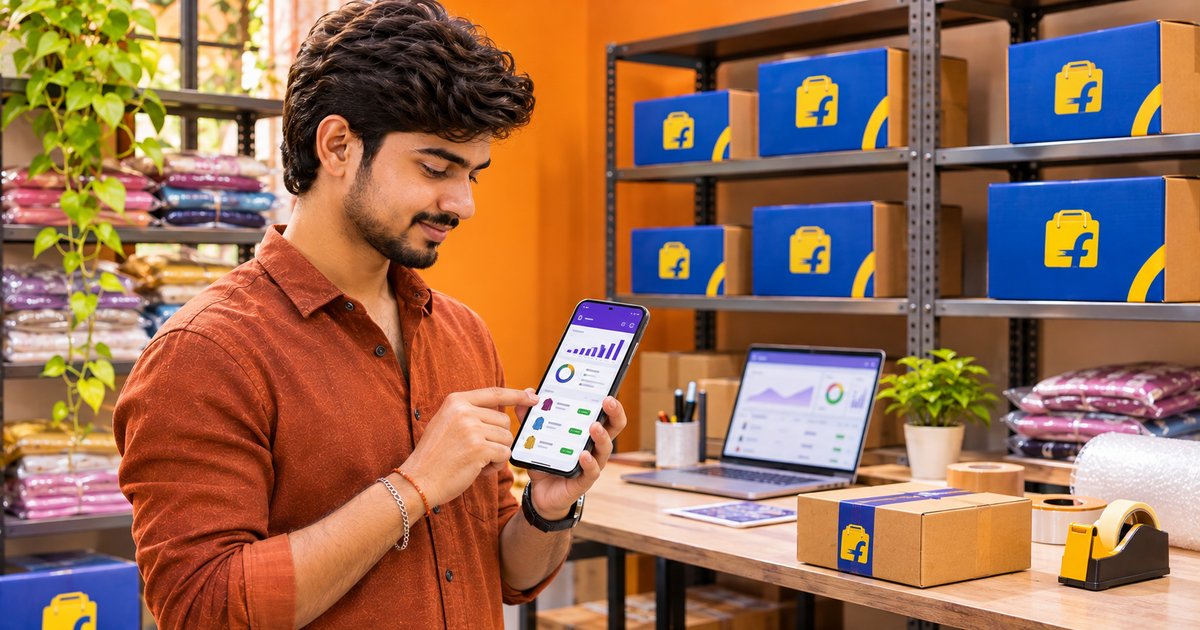
Flipkart says the new Seller Hub homepage is personalised for every seller, from a brand-new account to an evolved one. Instead of a generic dashboard, it surfaces what your account needs next: a first listing to finish, orders waiting for dispatch, or a payment to check. Treat the homepage as the daily to-do list for the shop; five minutes here each morning keeps the account healthy.
Listings and Orders
The listing feature is built to work whether you have a single product or multiple products. Orders from Flipkart's 45 crore+ customers land in the same hub, and the journey Flipkart describes is simple: create the account, list products, receive orders, ship them, and get paid. Accurate listing details matter twice: they help the customer buy, and they make sure fees are calculated on the right numbers.
Payments Overview
Payments Overview is the hub's transparent payment management view: what each order earned, what was deducted, and what reached your bank. Flipkart's published payment promise is 7 days from the date of dispatch (terms apply), so dispatch speed is also a cash-flow decision. Check this section weekly; the Flipkart seller fees guide explains each deduction line you will see there.
Selection Insights and Growth Tools
Beyond the daily work, the hub connects to Flipkart's growth stack:
| Feature | What Flipkart says |
|---|---|
| Personalised homepage | Flipkart says the new homepage is personalised for every seller, from brand-new to evolved, surfacing what your account needs next instead of a generic dashboard. |
| Easy listing | The listing feature is built to work whether you have a single product or multiple products, so the first catalog and the hundredth follow the same flow. |
| Payments Overview | A transparent payment management view: see what each order earned and what was deducted, so settlement questions take minutes, not support tickets. |
| Selection Insights | Best-selling products, growth opportunities and customer preferences, so the next product you list is backed by demand data rather than a hunch. |
| Learning Center | Personalised learning modules, exclusive webinars and tutorial videos to help you sell better, faster. |
| Seller Hub app | The Flipkart Seller Hub app on Android and iOS lets you manage the seller account 24x7 from your phone. |
Flipkart also cites an average 2.8X spike in growth for sellers and up to 5X growth in The Big Billion Days sale, and connects sellers to Fulfilment by Flipkart, Flipkart Ads and shopping festivals from the same ecosystem.
The Seller Hub App
The Flipkart Seller Hub app on Android and iOS manages the seller account 24x7 from the phone: orders, payments and account alerts without opening a laptop. For a business that ships daily, the app is the difference between hearing about an order at dinner and discovering it the next morning.
Run the Hub Better with SnapSeller
SnapSeller is an independent toolkit for Flipkart and Meesho sellers, and the free tools below pair well with the hub:
- Catalog autofill. Fill Flipkart listing forms from saved seller profiles in seconds, so every catalog goes out complete and consistent.
- Profit calculator. Check the fee math on any product before you list it in the hub.
- Label tools. Crop and prepare shipping labels without a separate editor.
- Flipkart seller registration guide. Create the account step by step: GSTIN, pickup address, bank details and the first product.
- Flipkart seller login guide. Reach the Seller Hub sign-in page and fix the common login problems.
- Flipkart seller fees guide. Fixed fees, commission and shipping tiers that decide what each order pays you.
- How to sell on Flipkart. The full journey from registration to your first orders and payments.
- Flipkart profit calculator. Run the fee math on any product before you list it in the hub.
Browse all free seller tools for current pricing and the free launch access.
Frequently asked questions
What is the Flipkart Seller Hub?
The Flipkart Seller Hub is the seller dashboard at seller.flipkart.com. It is where you list products, process orders, track payments through Payments Overview, read demand data in Selection Insights, run ads and use the Learning Center. A Seller Hub mobile app for Android and iOS manages the same account on the go.
How do I get a Flipkart Seller Hub account?
Register on seller.flipkart.com. Flipkart says account creation takes under 10 minutes with a valid GSTIN, address, bank details and at least one product to list. Once registered, the same credentials sign you into the Seller Hub on web and in the app.
When does Flipkart pay sellers?
Flipkart says sellers receive payment 7 days from the date of dispatch of the order (terms apply). The Payments Overview section in the Seller Hub shows what each order earned and what was deducted.
What is Selection Insights in the Flipkart Seller Hub?
Selection Insights is the hub’s demand-data feature: it surfaces best-selling products, growth opportunities and customer preferences, so you can decide what to list next with data instead of guesswork.
Is there a Flipkart Seller Hub mobile app?
Yes. Flipkart offers the Seller Hub app on both Android and iOS, and says you can manage your online seller account 24x7 from it, including orders and payments on the move.
What growth tools does the Flipkart Seller Hub include?
The hub connects to Fulfilment by Flipkart for storage, packing and delivery, Flipkart Ads for product visibility, shopping festivals like The Big Billion Days, the Learning Center for training, and account management support. Flipkart says sellers see an average 2.8X spike in growth and up to 5X growth in The Big Billion Days sale.