
How to Sell on Flipkart in 2026: Register, List, Ship & Get Paid
Quick answer
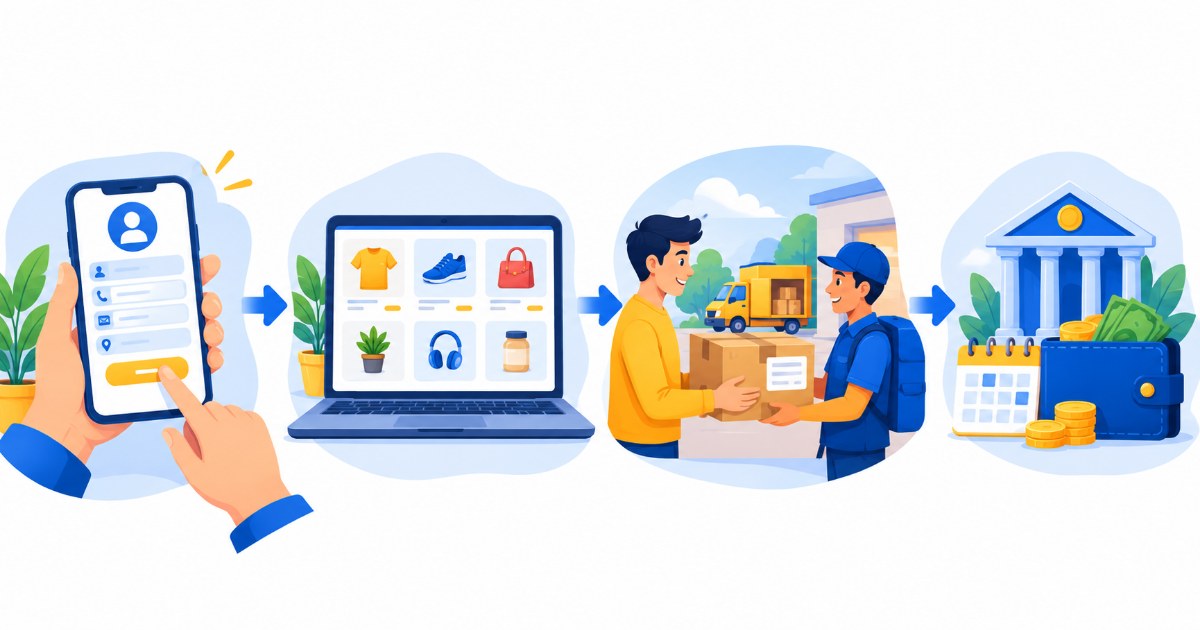
To sell on Flipkart, register at seller.flipkart.com with your mobile number, email, GSTIN, bank account and pickup address - Flipkart says it takes about 10 minutes with a valid GSTIN and at least 1 product. Then list your products on the Seller Hub with clear photos, titles and prices, and when orders arrive, pack them for Flipkart's logistics partner, which delivers across 19000+ pincodes. Payment reaches your bank account 7 days from the date of dispatch.

Flipkart says more than 14 lakh sellers already sell on its marketplace, to over 45 crore customers across 19000+ pincodes in India. If you want to join them, this guide covers the whole journey in order: what you need before you start, the registration steps, how listing works, pricing after fees, orders and shipping, and how payments reach your bank account. Everything happens on the Flipkart Seller Hub at seller.flipkart.com. For the registration deep-dive, see our Flipkart seller registration guide.
What You Need Before You Start
Flipkart says you can create a seller account in about 10 minutes with a valid GSTIN and a minimum of 1 product. Keep these ready first:
| Item | Why Flipkart asks for it |
|---|---|
| Mobile number and email | Used to create the account and to receive the one-time password and order updates |
| GSTIN | Flipkart's own seller guide lists GST registration as mandatory for the Seller Hub; it is verified against government records |
| Legal business name and business type | Must match your GST registration: proprietorship, partnership or company |
| Bank account number and IFSC | The account your payments (settlements) are sent to |
| Pickup address | Where Flipkart's logistics partner collects your orders from |
| Store name | The display name buyers see on your listings |
| At least 1 product with photos and details | Flipkart asks for a minimum of 1 product to start selling |
How to Register as a Flipkart Seller: Step-by-Step
These are the registration steps in the order Flipkart's official guide describes them. Button names can differ slightly on your screen, so use this list as a map:
- Start the sign-up on the Seller HubGo to seller.flipkart.com and choose Start Selling. Enter your full name, email address, mobile number and a password. Flipkart says creating the account takes about 10 minutes with a valid GSTIN.
- Enter GST details and upload documentsAdd your GSTIN, the legal business name exactly as on your GST registration, and your business type. Upload the documents the form asks for, typically the GST certificate, PAN card and address proof.
- Wait for GST verificationFlipkart verifies your GST number against government databases. Every detail must match your GST records exactly.
- Choose your store namePick the display name buyers will see, keeping it unique and within Flipkart's naming guidelines.
- Add pickup address, shipping settings and bank detailsGive the address orders will be collected from, set the regions you ship to, and enter the bank account and IFSC that should receive your payments.
- List your first productCreate your first listing with a clear title, complete description, good photos from different angles, accurate pricing and the right category. One product is enough to start.
The full walkthrough, with the documents to keep ready and the common sign-up problems, is in our Flipkart seller registration guide.
Listing Your Products on the Seller Hub
After registration, all selling work happens on the Flipkart Seller Hub. One product is enough to start, so create your first listing with a clear title, a complete description, high-quality photos from different angles, accurate pricing and the right category so buyers can find it. More listings give buyers more chances to find you, so add your full range as you get comfortable with the form.
If you need help with photos or catalog quality, Flipkart offers catalogue and photoshoot support through its seller services, and the Seller Hub mobile app (Android and iOS) lets you manage listings and orders around the clock.
Pricing & Fees
Creating the account is free, but every order carries deductions: commission, fixed and collection fees, shipping fees and GST on those fees. Price each product only after you know what is left. Our Flipkart seller fees guide lists every deduction with examples, and the free Flipkart profit calculator shows your real profit after fees, shipping and returns before you publish a price.
Receiving & Shipping Orders
When a customer orders, the order appears on the Seller Hub. You pack the product, print and paste the shipping label, and Flipkart's logistics partner picks it up from your pickup address and delivers it to the customer. Flipkart says its delivery network covers more than 19000 pincodes across India. When label PDFs start arriving, the free Flipkart label crop tool trims them to a 4x6 label in your browser so they print cleanly.
If you would rather not handle storage and packing at all, Fulfilment by Flipkart stores, packs, ships and delivers your products for you.
How & When You Get Paid
Flipkart states that sellers receive payment 7 days from the date of dispatch of the order, deposited to the bank account added during registration. You can track each settlement and its deductions in the Seller Hub's payments section.
Growing Your Sales on Flipkart
Once your listings are live, Flipkart's own pages suggest these ways to grow:
| Tip | Why it helps |
|---|---|
| Join shopping festivals | Flipkart says sellers see up to 5X growth in events like The Big Billion Days, with an average 2.8X spike in growth and 2.3X more visibility. |
| Try Flipkart Ads | Ads help your products stand out from competitors and gain visibility in search results. |
| Consider Fulfilment by Flipkart | Flipkart stores, packs, ships and delivers your products for you, which buyers often prefer. |
| Use the Learning Center | Free learning modules, webinars and tutorial videos help new sellers sell better and faster. |
| Ask for account management | Flipkart's account managers help with product selection, pricing and business insights. |
Save Time on Labels and Pricing With SnapSeller
Once orders start coming, label printing and price checks become the slow part. The SnapSeller Chrome extension and free web tools help with that, and they are independent of Flipkart:
- Flipkart label crop. Trim label PDFs to a clean 4x6 sticker in your browser.
- Profit calculator. See what is left after fees, shipping and returns.
- Catalog autofill and bulk upload. Save seller profiles and prepare many products together instead of one form per product.
- Flipkart seller registration guide. The registration deep-dive: documents, GST rules, verification, common problems and your first week.
- Flipkart seller login guide. Learn to sign in to the Seller Hub and fix OTP or password problems before the first order arrives.
- Flipkart seller fees guide. See every fee and deduction that reduces your payout before you set a price.
- Flipkart profit calculator. Check your real profit after fees, shipping and returns before you publish a price.
- free Flipkart label crop tool. Trim shipping label PDFs to a 4x6 label for your printer, right in your browser.
Browse all free seller tools for current pricing and the free launch access.
Frequently asked questions
How do I start selling on Flipkart?
Register at seller.flipkart.com with your mobile number, email, GSTIN, bank account and pickup address, then list at least 1 product with clear photos and pricing. When orders arrive, pack them for Flipkart's logistics partner. Payment reaches your bank 7 days from dispatch.
Do I need GST to sell on Flipkart?
Plan on having a GSTIN: Flipkart's own seller guide lists GST registration as a mandatory requirement for the Seller Hub. Under GST rules, registration is compulsory above the turnover threshold (Rs 40 lakh for goods, Rs 20 lakh for services, per Flipkart's GST guide). Confirm the current rules on seller.flipkart.com before you apply.
Is selling on Flipkart free?
Creating the seller account is free, but selling fees and other deductions apply on each order. Read our Flipkart seller fees guide and confirm the latest rates on the official pages before pricing your products.
How do I get paid on Flipkart?
Flipkart states that payment is made 7 days from the date of dispatch of your order, deposited to the bank account you registered. You can track settlements in the Seller Hub.
How many products do I need to start selling on Flipkart?
Just one. Flipkart says you can create your account with a valid GSTIN and a minimum of 1 product, though more listings give buyers more chances to find you.
Who delivers my orders on Flipkart?
Flipkart's logistics partner picks up packed orders from your pickup address and delivers them across 19000+ pincodes in India. You can also opt for Fulfilment by Flipkart, where Flipkart stores, packs and ships your products for you.